in
Forums
Blogs
DevExpress.com
Client Center
Support Center
DevExpress Channel

This Blog

Syndication

News

ctodx

Discussions, news and rants from the CTO of Developer Express, Julian M Bucknall

Sneak Peek: Drag-n-drop, dialogs, more formats with the rich text editor in WinForms

Part of a series on the new features appearing in DXperience v2009.3. This time around let's delve into the myriad new features of the XtraRichEdit control. This is going to be a long one, sorry in advance for taxing your broadband connection...

First on the (alphabetical) list is drag and drop. We'll start off with an animated GIF showing drag-and-drop working from within the control. It works just as you'd expect: select some text, click within the selection and, without releasing the mouse button, drag the text to a new position and drop it there.
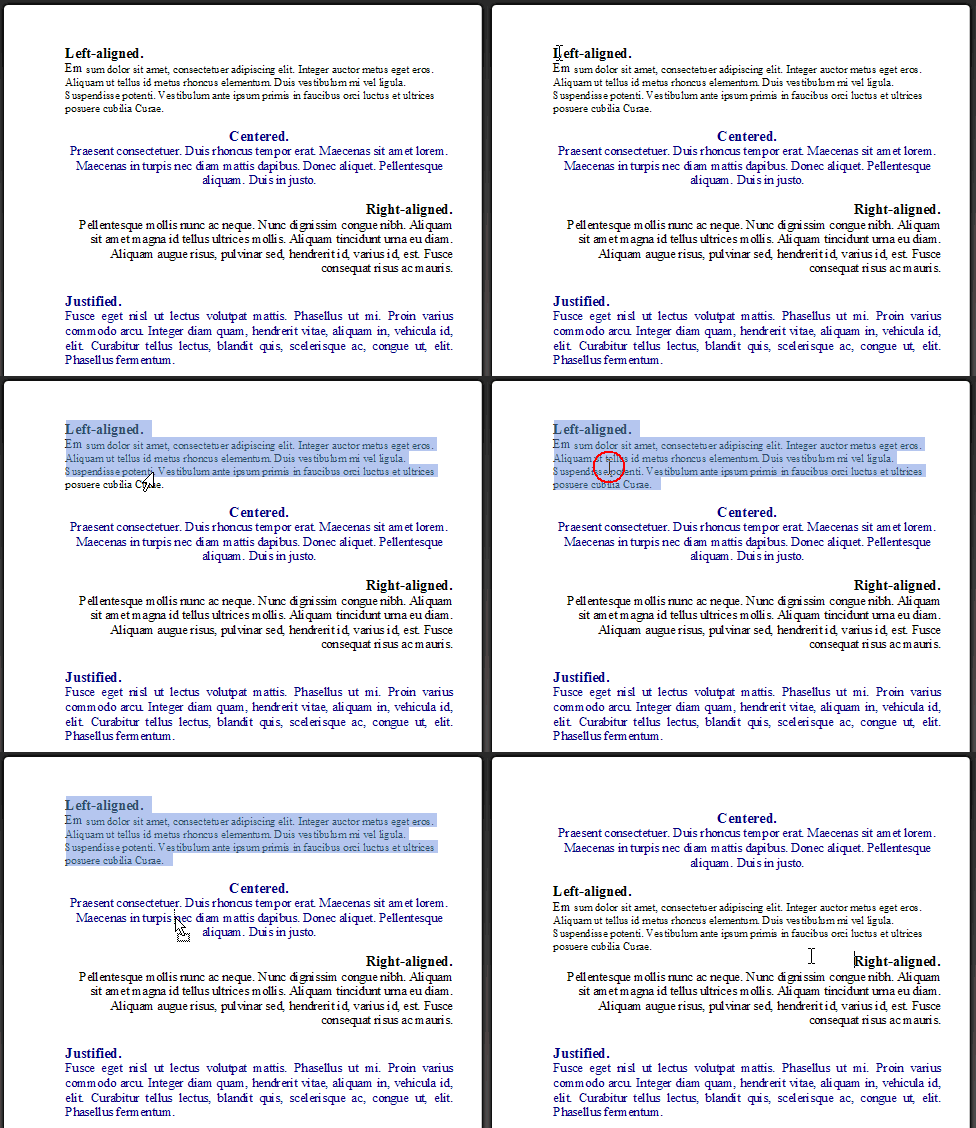
DragNDrop

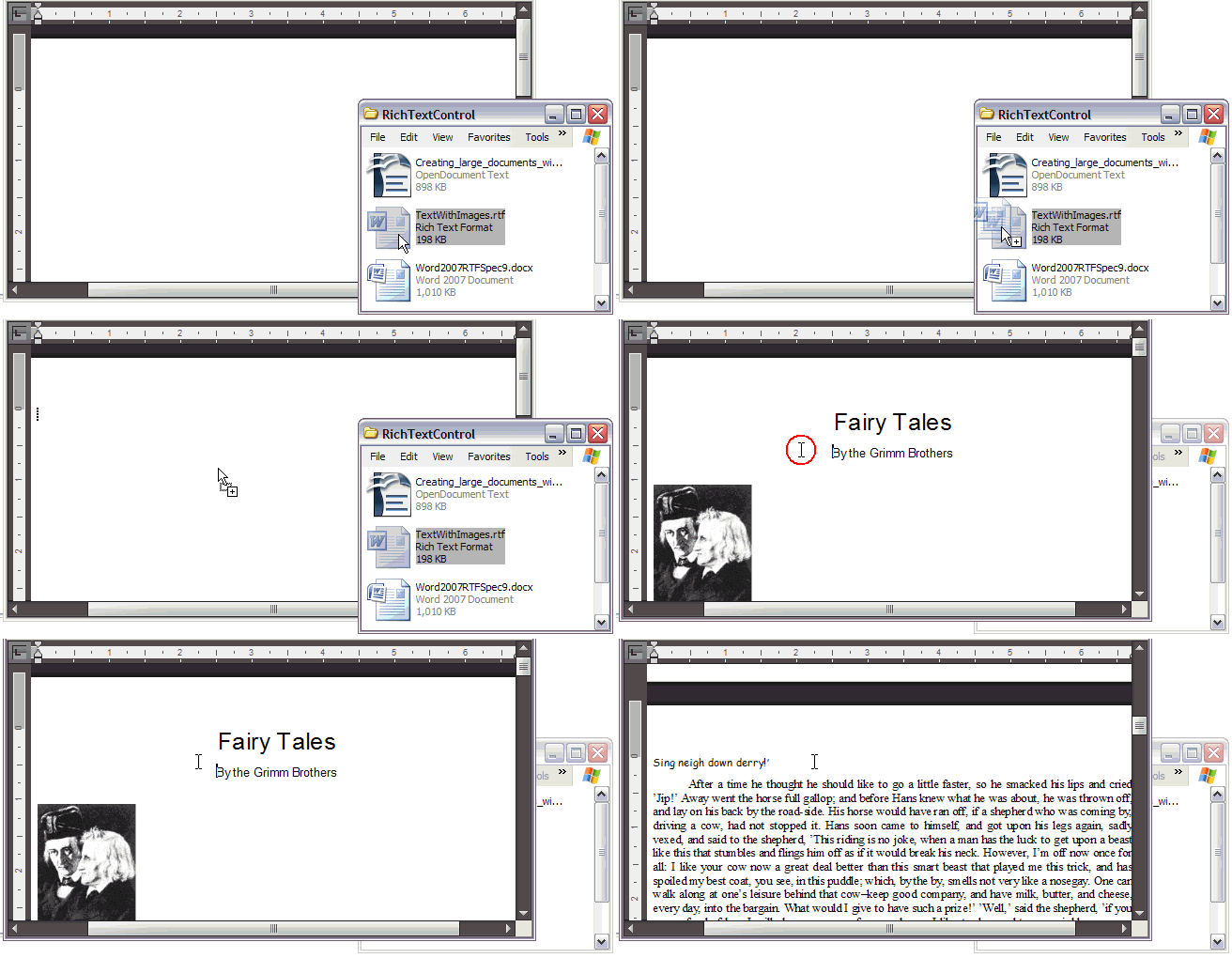
Next up in the same vein is dragging files into a rich text editor. First in this set of examples is dragging an OpenOffice file:

DargDropODT

Second is dragging an RTF file:

DargDropRTF

And last, but not least, dragging a DOCX file.

DragDropDocx

Of course, drag-and-drop wouldn't be complete unless we could drag and drop rich text from, oh, say, Microsoft Word?

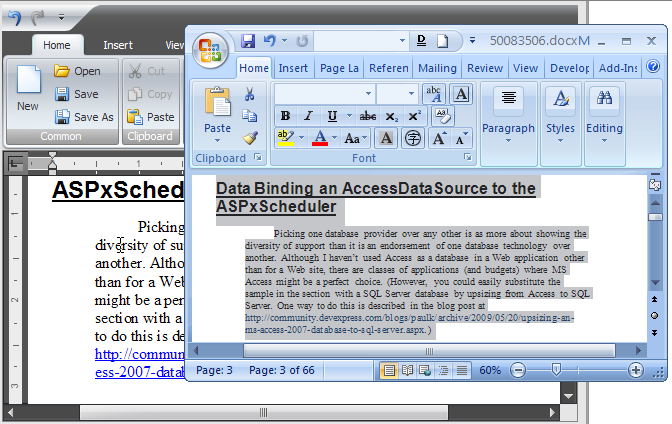
DragNDropWord01

DragNDropWord02 

DragNDropWord03 

Now if you'd been paying attention there with the drag-and-drop images you'd have noticed something new, so this formal announcement won't be a surprise: we now support the OpenOffice format:
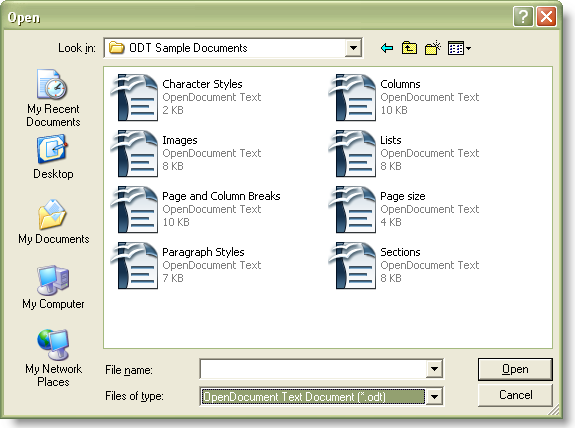
OpenDocument

Another format we've added support for is the WordprocessingML format (a.k.a. the Word 2003 XML format):
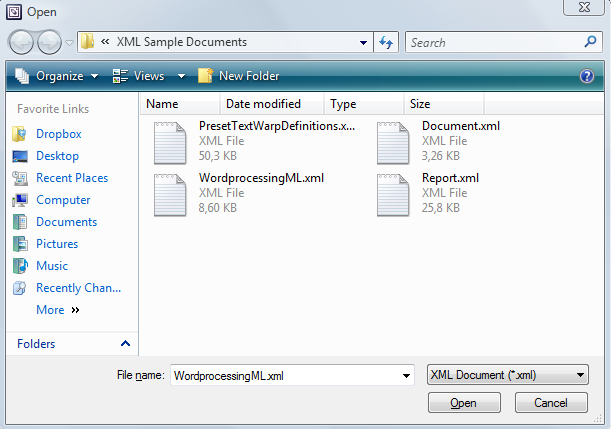
WordProcessingML

Third on our big list of new features are some essential standard dialogs. (And surely it goes without saying that all the new dialogs use the current application skin.) First up is the standard bullets and numbering dialog:

bullets and numbering form

Of course, you really want the ability to customize the bullets:
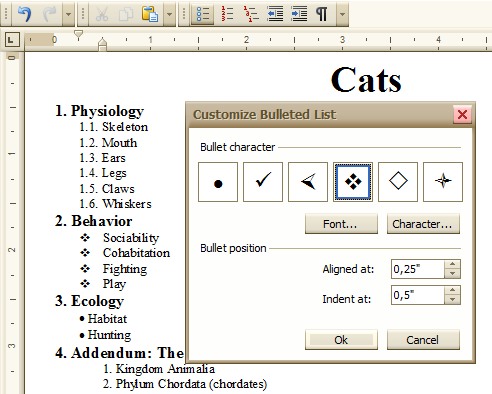
customize bulleted form

And the numbered list as well:

customize numbered form

On the twelfth day of DevExpress Christmas, Rachel gave me the chance to win a 12 month subscription for DXperience Universal so I can get all of my 12 Christmas wishes: http://is.gd/5hkp2

Having done those two, we also added the ability to customize the numbered levels used in outlines:
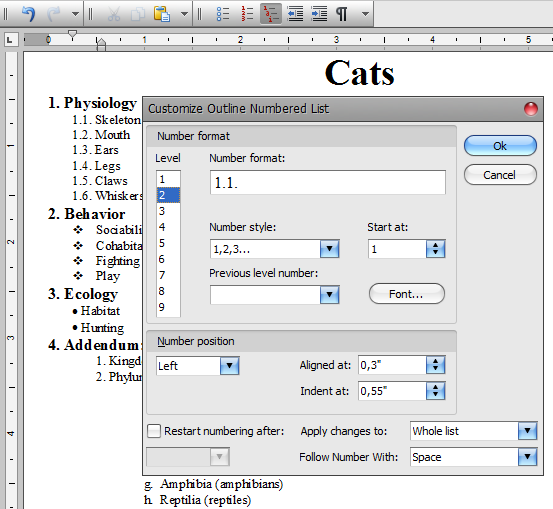
customize outline numbered form 

Another standard dialog I've been waiting for is the Insert Symbol dialog (warning: we threw in a gratuitous Comic Sans reference in the image):
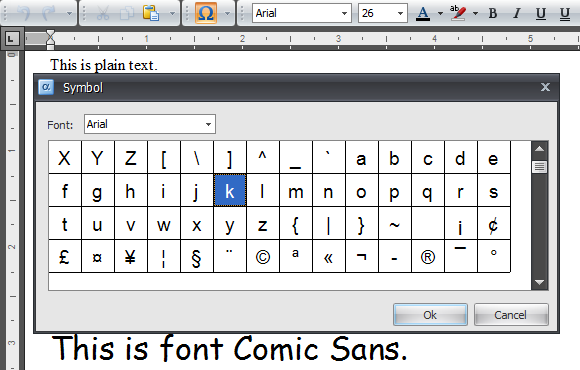
insert symbol - 1

insert symbol - 2

Fourth in our big list of features is something else you may have spotted already: support for hyperlinks. This comes with its own standard Edit Hyperlink form:
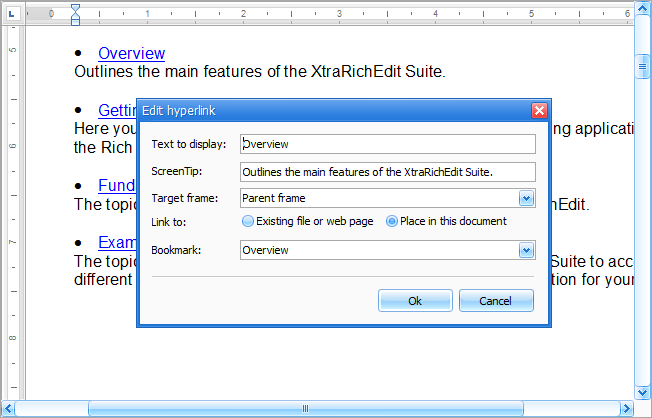
hyperlink_edit_form

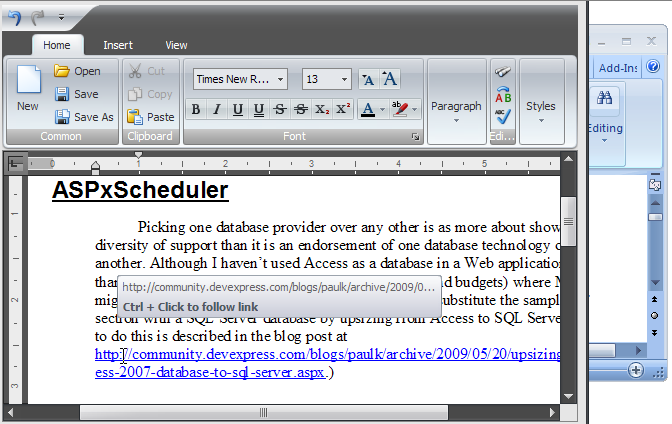
Once you have a hyperlink in your document, you can hover over it and get a standard tooltip. Also the context menu shows editing actions you can make with a hyperlink:

hyperlink_tooltip_context_menu

A very nifty hyperlink-related feature we added is the ability to run a "macro" as the target of a link. A picture is worth a thousand words (and an animated one at least double that): here clicking on the hyperlink ">>Deadline Date<<" shows a form that allows the user to set a date. The result of that form replaces the hyperlink text.

RichEditHyperlinkMac

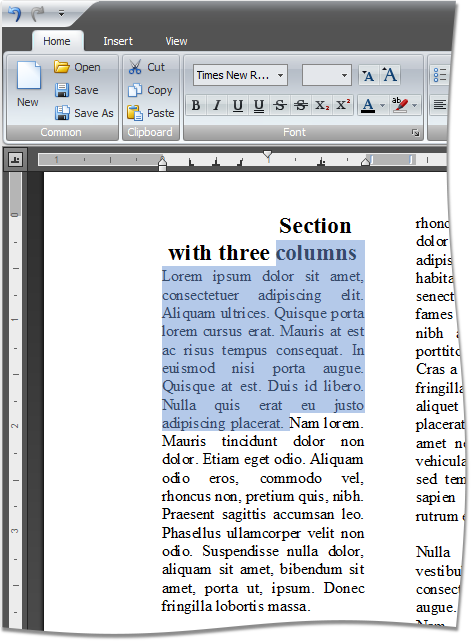
Finally, another feature you should have noticed by now if you are already a user of our WinForms rich text editor: rulers. Note the rulers support showing and adding margins, indents, and tabs.
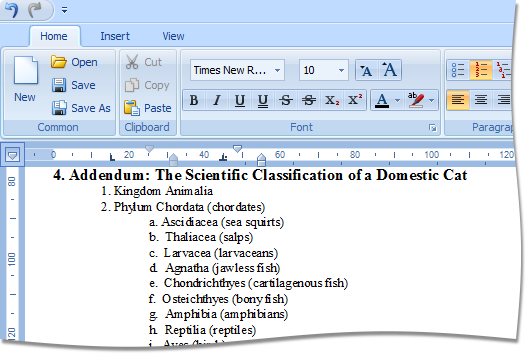
Ruler121

Ruler21 

As you have seen, some remarkable new features for the XtraRichEdit control for v2009.3.

Published Oct 28 2009, 03:37 PM by Julian M Bucknall

Comments


Chris Walsh [DX-Squad] said:

Can I assume the document drag and drop functionality within the XtraRichEdit from paragraph to paragraph also works in Silverlight?  Seeing as they are mostly the same code base...

October 28, 2009 7:08 PM
 

Schabse Laks said:

When are you going to support right-to-left?

That's the only thing stopping me from using it.

October 28, 2009 7:56 PM
 

Boris Bosnjak said:

Wow :-)

October 28, 2009 8:38 PM
 

Renaud Bompuis said:

Wow, that makes the control a lot more useful for customers and for us since we won't have to code these.

Kudos!

October 28, 2009 11:43 PM
 

Glen Germaine said:

This all looks great. This product is now providing some great functionality out of the box.. - but I have to say, WordProcessingML 2003 support seems a waste of energy given good 'ol 97-2003 ".doc" support hasn't yet made it in. www.devexpress.com/.../S31750.aspx

October 29, 2009 12:31 AM
 

Norbert Kustra said:

great job

October 29, 2009 3:40 AM
 

Neven said:

Very nice! Any prediction when will support for tables be available?

October 29, 2009 9:35 AM
 

Daniel Hulse_1 said:

Looks great!

I especially like the detail taken in the skin styling (ruler styling, dialogs etc.). Very nice job.

October 29, 2009 9:43 AM
 

Steven Rasmussen said:

Very nice!  It just keeps getting better!  Just a suggestion but you may want to put the animated gifs on a loop so we don't have to keep refreshing the page.  I haven't figured out yet how to look at them all at the same time when the page loads :)

October 29, 2009 10:08 AM
 

Julian M Bucknall said:

All: As you have already seen, the support for tables is not going to be in v2009.3. We felt that it wasn't quite stable enough, and hadn't gone through enough testing with corner cases, to be ready for release this time round. It's on the cards for v2010.1 though.

Cheers, Julian

October 29, 2009 4:43 PM
 

Tomas Mohapl said:

I like all these features. Is it possible to drop or paste tables?

October 29, 2009 6:03 PM
 

Sigurd Decroos said:

Tables and custom drawing (borders, rectangles, lines, circles, ...) are the only 2 options left that I need. Then I can use this editor for setting up mailings and other great additions to our program. Great job so far, but not there yet :)

October 30, 2009 6:08 AM
 

janos Torok said:

tables, tables tables, tables.. please. OK 2010.1 is okay quality above all.

Nice job though.

November 2, 2009 11:18 AM
 

Andreas Mummenhoff said:

very nice features. Drag and drop inside the control - perfect.

And yes, tables would be nice, too, but...

the biggest "not usable at all" feature for me is the horrific kerning.

Please, please correct this terrible kerning. Even in this screenshots you see overlapping letters and gaps as big as the grand canyon. It seems that most users doesn't recognize this explicitly, but the text seems kind of dirty to them. Not a good impression at all.

November 2, 2009 4:39 PM
 

Roel Vlemmings said:

Yes, I completely agree with Andreas. Kerning is awful. Personaly, I would have fixed this before adding any new features. It should be considered a bug and bugs have priority over new features...

November 3, 2009 4:49 AM
 

Conrad said:

Guys -- absolutely BRILLIANT. You never disappoint

November 3, 2009 9:08 AM
 

Ayman Wassif said:

Great job, just disappointed that I don't see the Table support

Table support is higher priority!!!

November 5, 2009 10:17 AM
 

Ryan Havlick said:

Table support too, and the ability to do page header and footers.  Does anyone know if there will be this ability to do page headers and footers anytime soon?  Trying to get rid of another 3rd party component for word processing - I'd be willing to help on development for free just to get rid of this other product.

November 5, 2009 11:03 AM
 

Ran Sagy said:

Good work, But i definitely agree with Schabse - RTL Support is sorely missing. It's already built into most the formats you support already - Why not use it?

November 5, 2009 1:24 PM
 

Denis said:

Great job guys.

I could also use table support!

November 5, 2009 1:33 PM
 

A270071 said:

NEED NATIVE HTML SUPPORT (XHTML Content Editor for Windows) ...

November 5, 2009 2:18 PM
 

Luc DEBRUN said:

Brilliant but one last thing missing as usual ... XAF integration.

Luc

November 5, 2009 8:34 PM
 

Konstantin Balashov said:

NEED NATIVE HTML SUPPORT -- Fully agree!!!

November 6, 2009 4:08 AM

Leave a Comment

(required)  
(optional)
(required)  
Verification code: Required
   
Add

About Julian M Bucknall

Julian is the Chief Technology Officer at Developer Express. You can reach him directly at julianb@devexpress.com. You can also follow him on Twitter with the ID JMBucknall.
Copyright © 1998-2010 Developer Express Inc.
ALL RIGHTS RESERVED