Sneak peek: the WinForms Ribbon gains a mini toolbar (coming in v2011 vol.1)

We’ll be releasing a new Ribbon mini toolbar in DXperience WinForms v2011.1. This control emulates the familiar context toolbar in Microsoft Office applications, such as Word.
Here’s a quick animated screenshot of the mini toolbar in action:
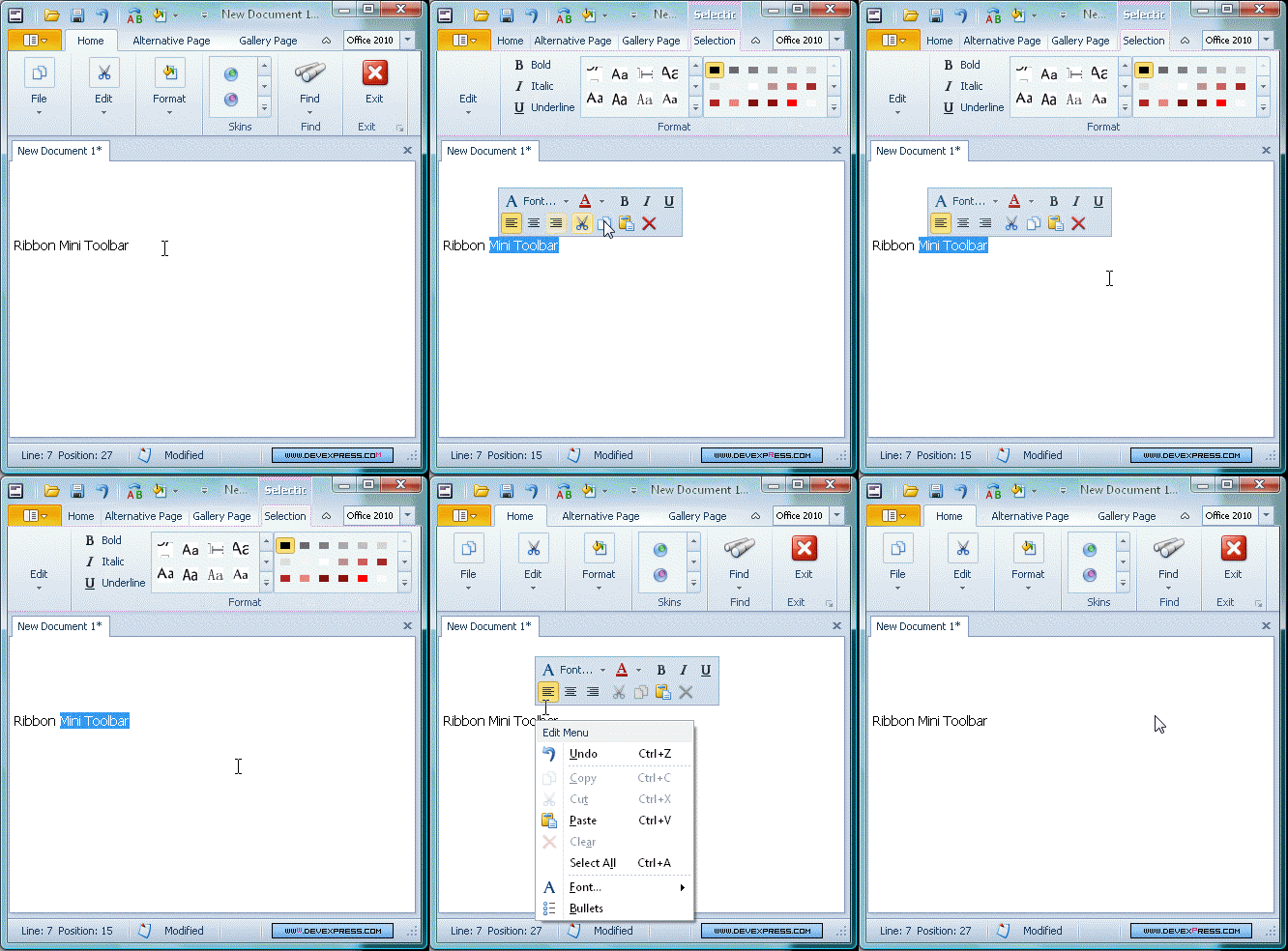
The toolbar provides the following functionality:
- The use and display of any bar item, including galleries.
- Full support for transparency. Just like you are used to when using Word, the toolbar fades in and out depending on how far the mouse cursor is away from the context point. You can see this in action in the above image. In essence, the nearer the cursor the more opaque the toolbar; the further away, the more transparent. Beyond some distance the toolbar becomes invisible (hidden) and is not redisplayed when the cursor is moved back. All of these distances (the point at which it starts becoming transparent, at which is becomes hidden, and so on) are fully configurable. Similarly you can turn this feature off completely if need be.
- The ability to display a context menu at the same time if required (the animated image shows this too).
- The capability to customize the alignment of the toolbar to the context point where it needs to be displayed.
Stay tuned for more sneak peeks of the new features in v2011.1.
Free DevExpress Products - Get Your Copy Today
The following free DevExpress product offers remain available. Should you have any questions about the free offers below, please submit a ticket via the DevExpress Support Center at your convenience. We'll be happy to follow-up.
Recent Posts
Julian Bucknall (DevExpress)
The DevExpress Team
Julian Bucknall (DevExpress)
Julian Bucknall (DevExpress)
Julian Bucknall (DevExpress)