Sneak peek: VCL Breadcrumb editor (coming in v2011 vol. 2)
This is one of those controls where a picture (in this case an animated GIF) is worth a thousand words. Click to enlarge the image.
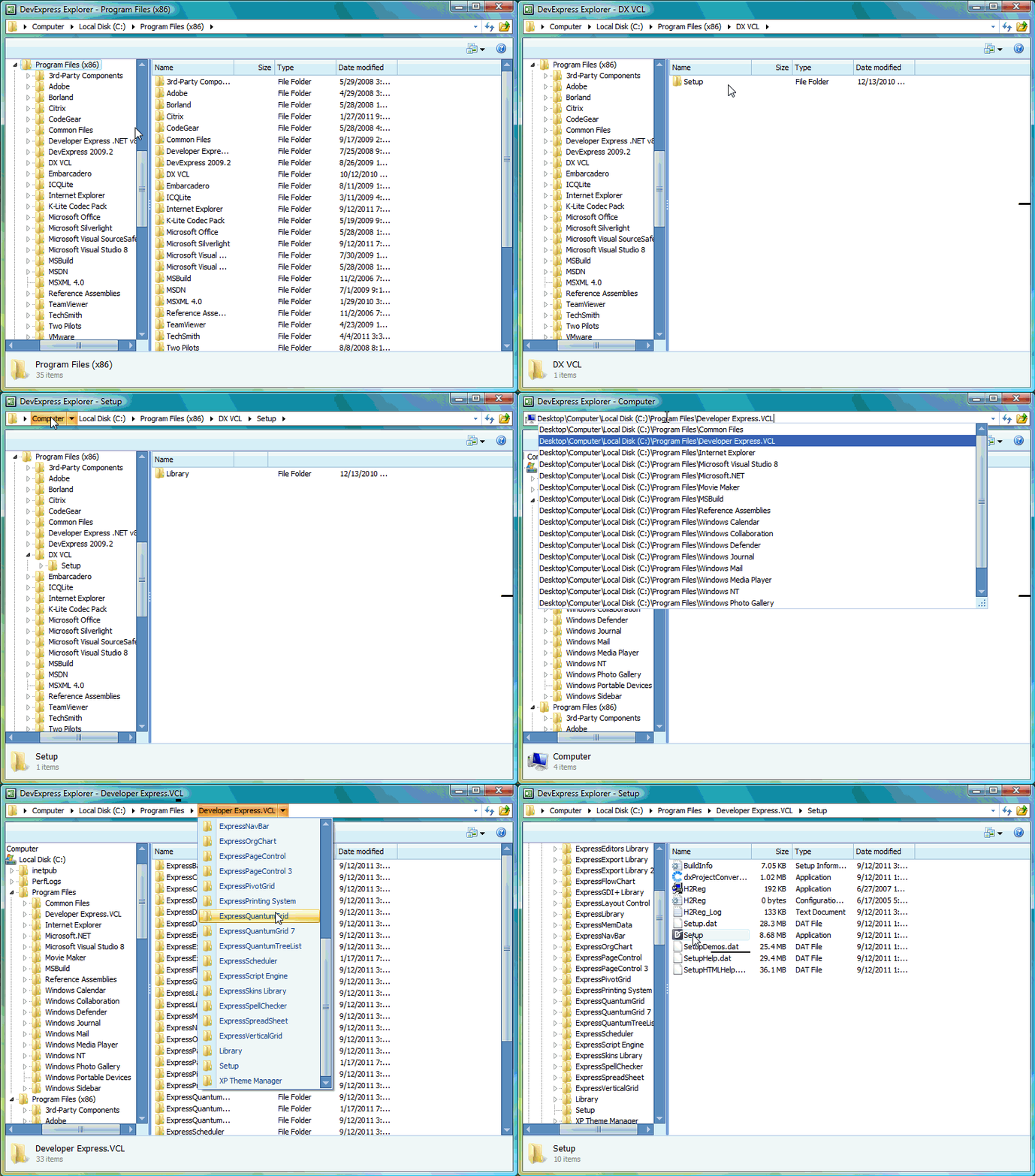
In essence, the control replicates the breadcrumb display of Windows 7’s Explorer. You can use the editor to navigate through some tree hierarchy of names – in the demo, your file system – with the ability to select components of the path as a drop down and select subcomponents. You can also use the editor to type the path, and the control will display possible matching paths.
This control will be available in v2011 vol. 2, and will come with the example DevExpress Explorer demo from which this animation was captured.
Free DevExpress Products - Get Your Copy Today
The following free DevExpress product offers remain available. Should you have any questions about the free offers below, please submit a ticket via the DevExpress Support Center at your convenience. We'll be happy to follow-up.
 Julian Bucknall (DevExpress)
Recent Posts
Julian Bucknall (DevExpress)
The DevExpress Team
Julian Bucknall (DevExpress)
Julian Bucknall (DevExpress)
Julian Bucknall (DevExpress)