Webinar: Building an iOS and Android Application using DXTREME and Visual Studio
A big thank you to everyone who attended today's webinar. The details can be seen here or you can watch directly on YouTube with this link
Other Helpful links:
SQL Table:
The table used for the webinar can be created with the following script (Create a database called Pensieve):
CREATE TABLE [dbo].[Thoughts]
(
[Id] [int] NOT NULL IDENTITY(1, 1),
[Thought] [varchar] (100) COLLATE SQL_¬Latin1_¬General_¬CP1_¬CI_¬AS NULL,
[Done] [bit] NULL CONSTRAINT [DF_¬Thoughts_¬Done] DEFAULT ((0)),
[Added] [datetime] NULL CONSTRAINT [DF_¬Thoughts_¬Added] DEFAULT (getdate())
) ON [PRIMARY]
GO
ALTER TABLE [dbo].[Thoughts] ADD CONSTRAINT [PK_¬Thoughts] PRIMARY KEY CLUSTERED ([Id]) ON [PRIMARY]
GO
<div data-bind="dxTextbox: { placeholder: 'search...', value: search, mode: 'search'}"></div> Pensieve.Thoughts = function (params) {
var ds = Pensieve.db.Thoughts.toDataSource({
map: function (item) {
return new Pensieve.ThoughtViewModel(item);
}
});
var viewModel = {
search: ko.observable(),
dataSource: ds
};
viewModel.search.subscribe(function (val) {
ds.filter(["Thought", "contains", val]);
});
return viewModel;
};
Certificates:
I mentioned the creation of the certificates using just a PC, so here are the steps
Apple WDC
Within the iOS Provisioning Portal, you can request a WWDR, this will in turn request a CSR or Certificate Signing Request, to perform this step on your Windows machine, you will need to be running an instance of IIS.
Within IIS Manager, select a machine running an instance of IIS from the left panel then locate the certificates entry:
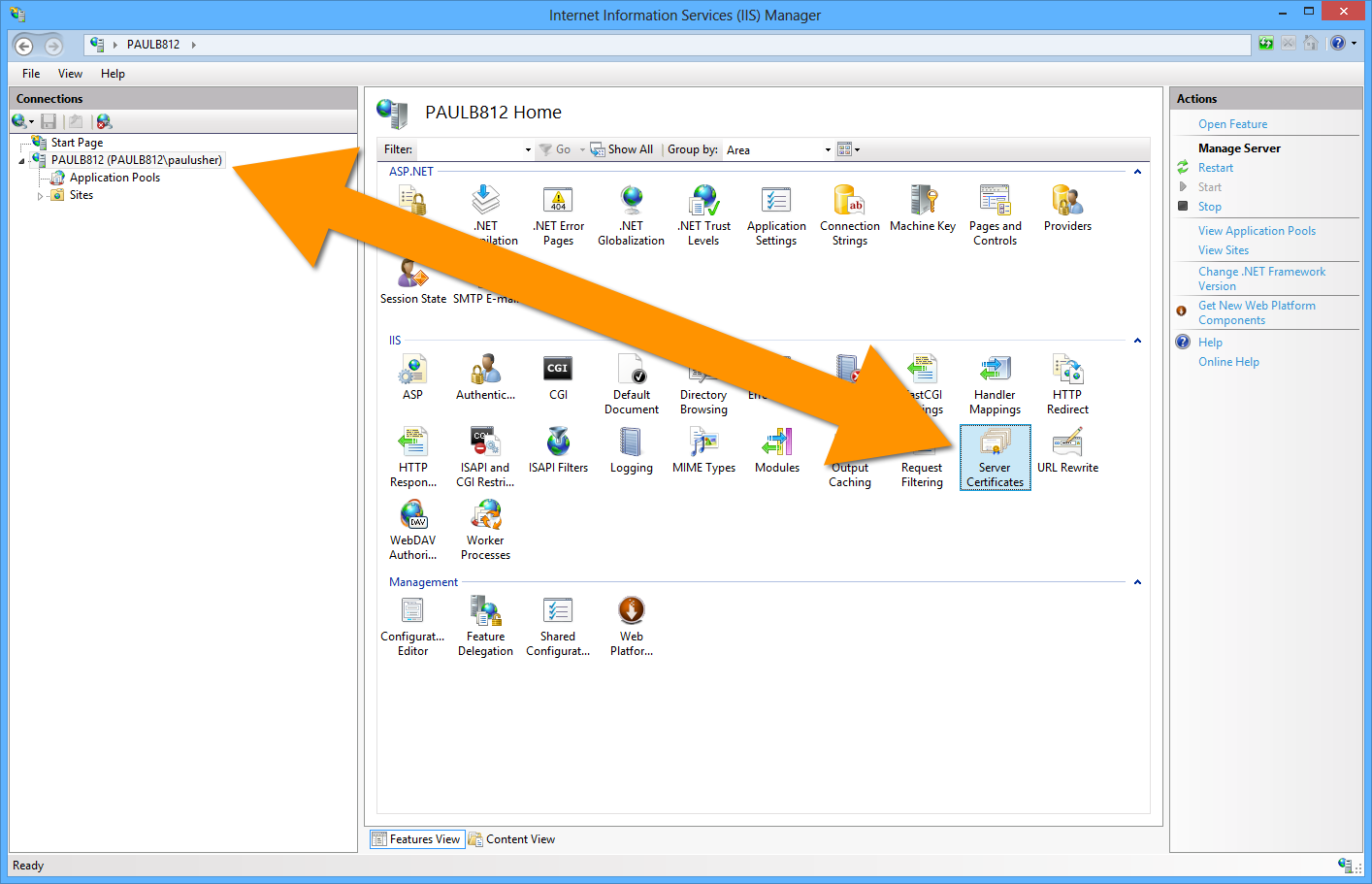
From the "Actions" panel on the top right, select "Create Certificate Request"

Fill in all the details in the panel:
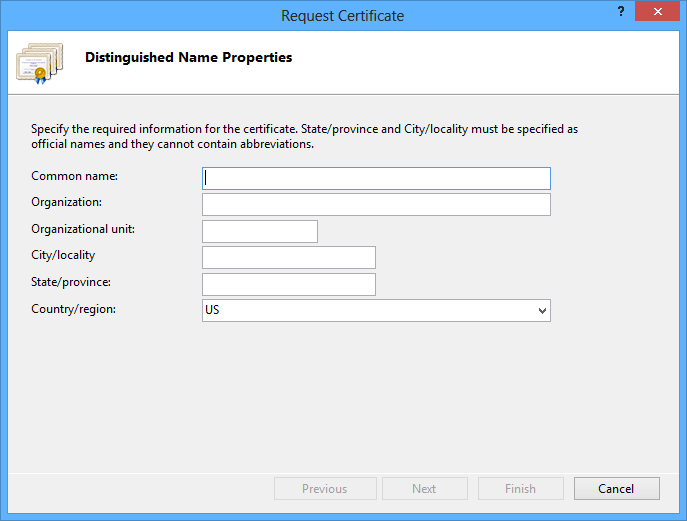
Ensure the RSA Key is set to 2048

Then nominate where you would like to save the request:

Inside the iOS Provisioning Portal, choose to upload the file

And then select "Generate"

You will see a screen similar to the following, you can now download your certificate

Inside IIS, choose "Complete Request" from the Action Panel

Browse to where you created the file and provide a friendly name.
You now have a paired your request with Apple's certificate, to produce a full certificate with both public and private keys.
There are many external posts on how to create .p12 files and CSR's, here are a few links.
http://panoptic.com/wiki/aolserver/How_to_generate_self-signed_SSL_certificates
http://support.nordicedge.com/nsd1309-creating-self-signed-certificates-using-openssl
The feedback has been amazing; I am looking forward to seeing what everyone produces using DXTREME.
