Silverlight Reporting - Accessing Subreports' Parameters

Here is a brief overview of a small new feature we'll introduce to help simplify use of subreport parameters in Silverlight.
In previous versions, accessing client-side subreport parameters when using nested subreports was inconvenient. The ReportPreviewModel provided the Parameters property, access its subreport and then use the Parameters property of the subreport again.

This is why we have simplified access to a subreport's parameters. For example, the following code can change the default value for a subreport’s parameter.
void PreviewModel_RequestDefaultParameterValues(object sender, EventArgs e) {
    PreviewModel.Parameters["subreport1.fromDateParameter"].Value = new DateTime(2002, 11, 30);
    PreviewModel.Parameters["subreport1.toDateParameter"].Value = new DateTime(2002, 12, 31);
}
The following image demonstrates the result.
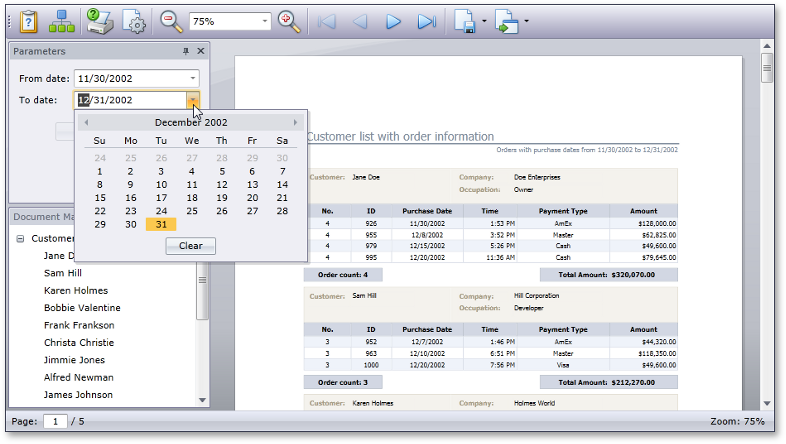
These changes will take effect with our next minor release (v2011 vol 1.6).
You can download a sample application that demonstrates this feature here: How to pass parameter values to subreports in Silverlight.
Please feel free to share your thoughts and comments.
Free DevExpress Products - Get Your Copy Today
The DevExpress Team