ASP.NET Upload Control with Multi File Support (coming soon in v2011 vol 2)
With the upcoming release of DXperience v2011 vol 2, we'll be enhancing our ASP.NET Upload Control with multiple file selection support.

The ASP.NET File Upload Control allows end-users to select one or more files within a single file open dialog.
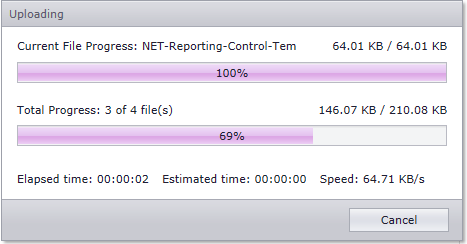
Once we ship the control, our demos will include examples of how you can display the progress of the file upload process within a custom popup panel...providing feedback on both the currently processed file and total progress.
By default, multi-file selection mode is disabled. To enable it, you'll set the AdvancedModeSettings.EnableMultiselect property to true.
When multi-file selection is active, the ASPxUploadControl text box is used to display information on the selected files: If a single file is selected, the text box will display the selected file name. When multiple files are selected, the text box displays the total number of selected files and the textbox's tooltip will contain the list of selected files.
If files have been selected, your end users can clear selection by pressing the "delete" icon within the text box.
Free DevExpress Products - Get Your Copy Today
 Ray Navasarkian (DevExpress)