Browse by Tags
Sorry, but there are no more tags available to filter with.
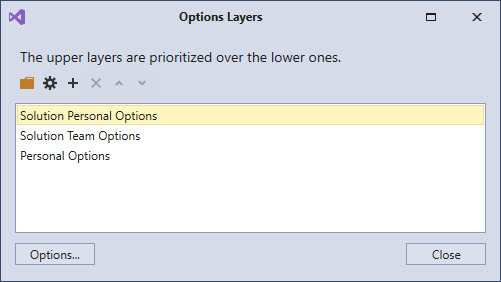
CodeRush has recently changed the way it reads and processes your options, adding new layers which make it much easier to bind settings to a particular solution or team. This post will explain those changes and show how you can get the most out of this...
Rory Becker (DevExpress)
2 July 2018

How do I locate a CodeRush key binding? CodeRush key bindings can be found in the options ( Ctrl+Shift+Alt+O ) under IDE\Shortcuts. However there are quite a few and searching through the hierarchy manually can be something of a pain unless you know where...
Rory Becker - DevExpress
11 April 2011
If you happen to prefer different keys to the CodeRush defaults, or if you’ve downloaded a third party plugin which needs some keys configuring, then at some point you’re going to want to visit the shortcuts page of the options screen. Once you launch...
Rory Becker - DevExpress
5 October 2010
In this post, I’m going to show you some of the types of notification that you might see within CodeRush . Let’s start at the beginning… Welcome The ‘Welcome’ dialog is the screen you see when you start CodeRush for the first time. It asks you 2 things...
Rory Becker - DevExpress
24 August 2010
The Options screen is launched via the Ctrl+Shift+Alt+O hotkey. If you have CodeRush rather than CodeRush Xpress then you can also use the ‘ DevExpress \ Options ’ menu. The screen is divided into a number of sections: The Page Tree The left hand box...
Rory Becker - DevExpress
3 August 2010
More Posts
Featured Posts
DevExpress Developer Survey — AI Impact, Regulatory Compliance, Upgrade & General Product Experience
Dennis Garavsky (DevExpress)
Alex Chuev (DevExpress)
Dennis Garavsky (DevExpress)
Popular Topics
- Roadmap
- v26.1 - Next Release
- v25.2 - Latest Release
- Prerelease/EAP
- .NET 10
- AI
- DevExtreme
- Blazor
- ASP.NET
- Office File API
- XAF UI/Web API Service
- .NET MAUI
- WinForms
- WPF
- Reporting
- BI Dashboard
- VCL
- Linux/MacOS/Unix