HOW-TO: Implement eBay's Slick Dropdown ComboBox

A customer recently asked about a control they had seen on the popular e-commerce site eBay.com.
It was described like this:
I noticed that ebay has a dropdown combo box but with links in it. The
cool part about it is the fact that it combines a command link (one click
to activate action) and a combo box (click down arrow for more action).
You can achieve this easily with the ASPxComboBox. Simply drop an ASPxComboBox onto your webform and using the smart tag, click items. Now add some items using the Items Editor. Here I've added three popular websites:
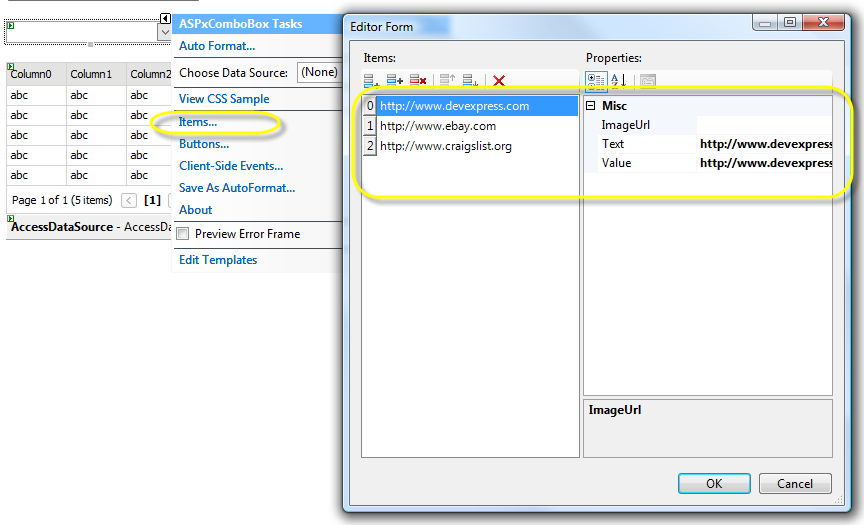
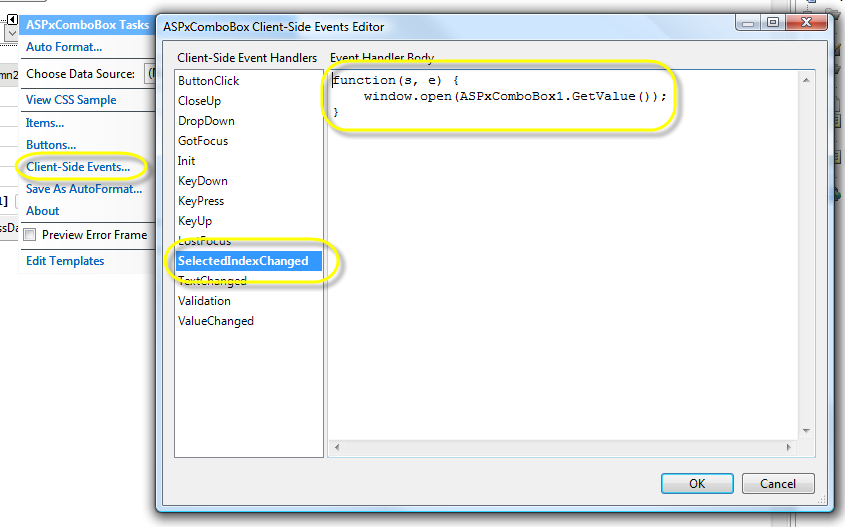
You'll now want to wire the Client-Side event for the ASPxComboBox to open the selected item. So using the great help documentation to find the Client-Side event for the ASPxComboBox (search ASPxCLIENTComboBox in the help). The SelectedIndexChanged method will work nicely. Now simply add the call to open another window once the ListItem has been selected:
window.open(ASPxComboBox1.GetValue()); // You can add more params to control the javascript window.open call.
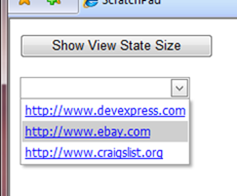
To get the look of hyperlinks, set the ItemStyle's Font Underline property to true. Also, set the ItemStyle's ForeColor to Blue.
Run, click on an item and you have URL-Enabled ASPxComboBox goodness.
Free DevExpress Products - Get Your Copy Today
 The DevExpress Team