Blogs

News

Email Subscriptions

Mehul Harry's DevExpress Blog

Installer Preview: Smarter, Faster And Sexier – v2010 vol 1


Check out the images below of the updated DXperience v2010.1 Unified .NET Installer. First let’s review some of the changes:

Smarter

  • This installer will work for Visual Studio 2005, 2008 and 2010! Because some of the features and products will only work in VS2010, the installer will automatically enable and disable the products based on the IDE and .NET frameworks installed. More on this below.
  • The installer now uses Visual Studio’s built-in “ASP.NET Development Server” to simplify using our ASP.NET demos.

Smaller

The installer size has been reduced! The latest DXperience beta build that I got my hands on is v2010.1.2 and it includes:

  • All .NET binaries for our products
  • Source code (if you have the paid option)
  • And no documentation.

For example, this latest DXperience beta build is now approximately 193mb.

Faster

Because documentation files were moved to a separate installer, the time to install is also reduced.

Sexier

Check out this walkthrough of installing DXperience v2010.1 in to my local development virtual machine. Click any image to see a larger version:

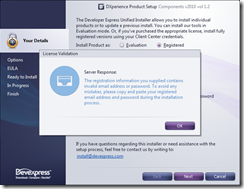
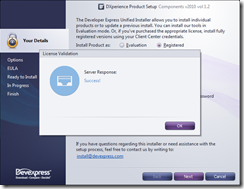
Step 1 – Launch the installer, enter my Client Center credentials and Verify the login details:
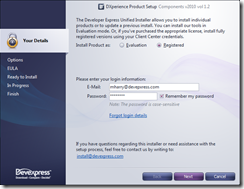
 Enter Installer Login Details Installer Error Checking Login Details Login Details Verified!

Step 2 – Select the DevExpress products you wish to install:

Select DevExpress Products To Install 

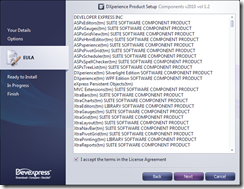
Step 3 – Agree to the EULA:

 EULA Agreement

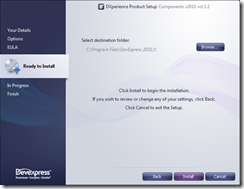
Step 4 – Select destination folder:

Select destination folder to install DXperience

Step 5 – Wait a few minutes for the installer to extract and install the necessary files:
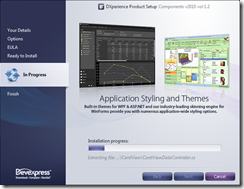
Installer unpacking and registering products 

Step 5 – Congratulations! You’ve successfully completed the installation!

Installation complete! 

Optional step 6 – If the ‘Launch DemoCenter’ check box was left checked then you’ll see our slick DemoCenter application popup. It’s a very handy way to see all the new demos and highlighted features of our products:
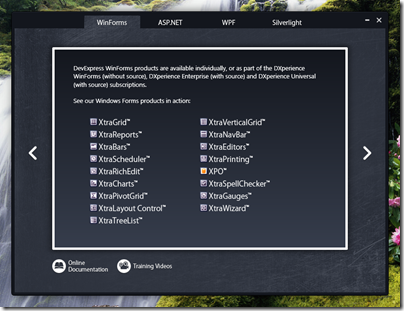


DemoCenter Application


And that’s it! You’re now installed DXperience v2010 volume 1.

Happy Coding!

DXperience? What's That?

DXperience is the .NET developer's secret weapon. Get full access to a complete suite of professional components that let you instantly drop in new features, designer styles and fast performance for your applications. Try a fully-functional version of DXperience for free now: http://www.devexpress.com/Downloads/NET/


Published Apr 16 2010, 03:30 PM by Mehul Harry (DevExpress)
Bookmark and Share

Comments


Bradley said:

Can the installer handle separate products with different licensing yet?

For example. Work pays for the WinForm controls,  I pay for my own license to CodeRush and Refactor.  Currently the installer only allows you to have one license in effect at a time, so one of the products has to run in evaluation mode.

There has been a bug report open on this for this since the first version of the unified installer.  It wasn't a problem before with separate installers for each product.

April 16, 2010 6:59 PM
 

Grant Levy said:

Sexier indeed!  I like it.

April 16, 2010 7:32 PM
 

Will Vandergrift said:

Love the new look!

April 16, 2010 7:52 PM
 

Stefan Guc said:

Sexier is the word for today, Looks great!

Curious to know if you use an industry setup installer like InstallAware or InstallSheild or produce your own installer??

April 16, 2010 8:57 PM
 

CESAR F. QüEB said:

This new setup version has a "hot" and "cutie" skin. Now I hope that DevExpress implement stand alone setups for HotFixes or Patches...

Congratulations...

April 16, 2010 9:45 PM
 

Nate Laff said:

The previous installer was in Delphi, so my assumption is this is custom rolled, too.

April 16, 2010 10:37 PM
 

Brendon Muck [DX Squad] said:

I noticed you mention a lack of VS 2005 support. I assume this is just an oversight?

April 17, 2010 1:28 AM
 

Rennie Petersen said:

Can't we drop this "sexier" nonsense? Things concerning sex are important enough and problematic enough without corrupting the English language so the whole concept gets corrupted.

April 17, 2010 2:26 AM
 

Uwe Porsch said:

And when will we get it ????

April 17, 2010 3:49 AM
 

Toni Wenzel said:

Very nice look and feel!

Do you use WIX or a custom install creator?

April 17, 2010 5:07 AM
 

Neal said:

The installer looks great, works great.  Regarding documentation, I don't plan to ever install it, I prefer to use the ONLINE documentation.  Please add LINKS to your DevExpress menu and one of which is to your online documentation as I'll be using that for my doc needs instead of installing local docs.

April 17, 2010 8:21 AM
 

david@shannon.name said:

I understand part of the idea is that the help will be updated perhaps less frequently or on a different schedule than the suite.  

--Will the help installer be listed separately in the client center?

--Will there be different build numbers for the help and the suite, or how will that work?

April 17, 2010 2:47 PM
 

louie said:

This looks awesome.  Will this be a part of the 2010.1 DexExpress package?  

April 18, 2010 1:28 PM
 

G Howell said:

Hi guys, our corporate firewall blocks the serial checker (same as always), but when I go through the manual process, the installer doesn't go to the next step eg I can't install it?  This didn't happen with the old installer....

April 18, 2010 9:14 PM
 

Howard Herrera said:

The post says :

"Because some of the features and products will only work in VS2010, the installer will automatically enable and disable the products based on the IDE and .NET frameworks installed."

Is there any bad side effect if I had both VS2008 and VS2010 installed side by side?

April 19, 2010 11:57 AM
 

Rick Bartlett said:

I don't see the beta in my Client area. Is it available yet?

April 19, 2010 12:07 PM
 

Mehul Harry (DevExpress) said:

@Bradley,

>>Can the installer handle separate products with different licensing yet?

No.

About the bug, the installer team will take a look at it again.

April 19, 2010 3:47 PM
 

Mehul Harry (DevExpress) said:

@Stefan & @Toni,

It is our own custom installer written in Delphi.

April 19, 2010 3:49 PM
 

Mehul Harry (DevExpress) said:

@Brendon,

Yes, you're correct. DXperience Installer does support VS2005 also and I've updated the post, thanks.

April 19, 2010 3:49 PM
 

Mehul Harry (DevExpress) said:

@Cesar,

Thanks but no promises on the stand alone setups yet.

April 19, 2010 3:50 PM
 

Mehul Harry (DevExpress) said:

@Neal,

Thanks for the suggestion and the installer team will work that into a future release of the installer. Perhaps by RTM version.

April 19, 2010 3:51 PM
 

Mehul Harry (DevExpress) said:

@David,

>>Will the help installer be listed separately in the client center?

I believe it will, Yes.

>>Will there be different build numbers for the help and the suite, or how will that work?

Not sure, but most likely it doesn't make sense to download it after every release. I'll check with the team about it.

April 19, 2010 3:53 PM
 

Mehul Harry (DevExpress) said:

@Louie,

Thanks, and yes, this the DXperience v2010.1 installer.

April 19, 2010 3:54 PM
 

Mehul Harry (DevExpress) said:

@G Howell,

This bug has already been fixed and the beta will work properly.

April 19, 2010 3:55 PM
 

Mehul Harry (DevExpress) said:

@Howard,

>>Is there any bad side effect if I had both VS2008 and VS2010 installed side by side?

No. :)

April 19, 2010 3:55 PM
 

Rick Bartlett said:

It's there now, thanks...

April 19, 2010 5:58 PM
 

Phil said:

Very nice look, like it

April 22, 2010 6:46 AM
 

Mehul Harry (DevExpress) said:

@Bradley,

Please contact our support team at the link below and they can help you out:

www.devexpress.com/.../CreateIssue.aspx

April 27, 2010 1:52 PM
 

Eugene Paradizov said:

@Mehul,

In your blog post you said that some features will be disabled for non-VS2010 users. Can you tell us what those are?

April 29, 2010 5:54 PM
 

Mehul Harry (DevExpress) said:

@Eugene,

Sure, there are items like the Silverlight 4 features that only work in VS2010. Therefore, our DXperience v2010.1+ Silverlight tools will not install in VS2008. For older SL3, you'll need DXperience v2009.3 release. I recommend reading this blog post for more info:

community.devexpress.com/.../merging-our-silverlight-and-wpf-ui-controls.aspx

Hope that helps.

April 29, 2010 6:35 PM

About Mehul Harry (DevExpress)

Mehul Harry is an ASP.NET technical evangelist at Developer Express. You can reach him directly at mharry@DevExpress.com. You can also follow him on Twitter: http://twitter.com/mehulharry
More from DevExpress
Live Chat
Have a pre-sales question?
Need assistance with your evaluation?
We are here to help.
Chat is one of the many ways you can contact members of the DevExpress Team. We are available Monday-Friday between 8:30am and 5:00pm Pacific Time.
If you need additional product information, require pre-sales assistance, or want help with your order, write to us at info@devexpress.com or call us at
+1 (818) 844-3383.