Blogs

News

Email Subscriptions

Mehul Harry's DevExpress Blog

ASP.NET HTML Editor - Custom Dialogs (coming in v2010 vol 2)

     

Check out the new Custom Dialogs features of our ASP.NET HTML Editor, the ASPxHtmlEditor:

ASPNET_HTMLEditor_Custom_Dialogs

The upcoming ASPxHtmlEditor’s Custom Dialog feature is part of the DXperience v2010 volume 2 release.

Features

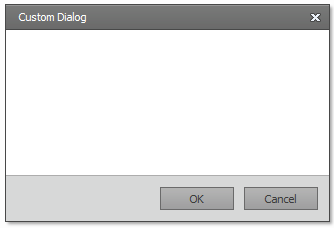
In addition to built-in dialogs available within the ASPxHtmlEditor, you can use any number of custom dialogs. To add custom dialogs to the ASPxHtmlEditor, use the CustomDialogs collection. A custom dialog is represented by an HtmlEditorCustomDialog object, which provides the following settings:

  • Caption and Name - Use these properties to specify a dialog's caption and name. The dialog's name is used for reference, as described below.
  • FormPath - Use this property to provide a path to a user control representing a dialog's form.
  • OkButtonText, OkButtonVisible, CancelButtonText, and CancelButtonVisible - These options allow you to specify the visibility and caption of two standard dialog buttons. By default, these buttons are labeled "Ok" and "Cancel". You can customize default button captions as necessary. In this demo, the Ok button's caption is changed to reflect the dialog's functionality.

You can associate a custom dialog with a toolbar item, that when clicked, invokes the dialog. To implement this, just add a ToolbarCustomDialogButton toolbar item to the ASPxHtmlEditor and assign the dialog's name to the toolbar item's Name property.

The Custom Dialogs feature provides you with a both a server and client-side API to create custom dialogs.

  • Built-in toolbar button:

    toolbar_button
    toolbar_markup

  • Easy to use CustomDialogs collection available at the ASPxHtmlEditor’s level:

    collection

  • Several client-side events that allow you to respond to end-user interactions with custom dialogs and dialog button clicks. Events include:

    • CustomDialogOpened -You can handle this event to initialize a custom dialog. 
    • CustomDialogClosing - You can handle this event to respond to closing a custom dialog (via a click on a dialog button or the header's close button). To identify a dialog and an element being clicked, use the event parameter's Name andStatus properties. To prevent default processing of closing a dialog, assign true to the event parameter's handledproperty.
    • CustomDialogClosed - You can handle this event to perform specific actions, based on the dialog button that has been clicked or any other suitable condition.
  • Built-in view for custom dialogs:
    view

  • Client-side commands:

    • CustomDialog command (ASPxClientCommandConsts.CUSTOMDIALOG_COMMAND) to show dialogs

    • CustomDialogComplete client method to close a dialog programmatically

The ASPxHtmlEditor is getting major features and updates for the DXperience v2010 volume 2.

Drop me line below with your thoughts on the versatile and powerful Custom Dialogs feature of the ASPxHtmlEditor. Thanks!

Follow MehulHarry on Twitter

DXperience? What's That?

DXperience is the .NET developer's secret weapon. Get full access to a complete suite of professional components that let you instantly drop in new features, designer styles and fast performance for your applications. Try a fully-functional version of DXperience for free now: http://www.devexpress.com/Downloads/NET/

Published Sep 17 2010, 12:08 PM by Mehul Harry (DevExpress)
Bookmark and Share

Comments


Boris Bosnjak said:

I honestly keep being amazed at how clever you guys and gals are! :D

September 17, 2010 5:45 PM
 

Mehul Harry (DevExpress) said:

Thanks Boris, though our dev teams would not be driven to improve without great customers like you who support us.

September 17, 2010 6:04 PM
 

Sigurd Decroos said:

So sweet :).

September 18, 2010 7:07 AM
 

Troy said:

Thank you, thank you... Finally great to see the ASPxHtmlEditor finally getting some love!

This feature is going to be used on Day 1 of release...

Thank you!

Troy

September 18, 2010 12:06 PM
 

Gary L Cox Jr [DX-Squad] said:

Is this going to be available in the MVC version as well?

September 18, 2010 2:30 PM
 

Mehul Harry (DevExpress) said:

Thanks Sigurd and Troy!

Gary, not sure yet but will dig into it.

September 18, 2010 4:52 PM
 

Mehul Harry (DevExpress) said:

Gary,

Good news, the Custom Dialogs will also be supported in the DevExpress MVC HTML Editor Extension:

community.devexpress.com/.../custom-dialogs-for-asp-net-mvc-html-editor-coming-in-v2010-vol-2.aspx

September 22, 2010 8:57 PM
 

Glen Harvy said:

Will this enhancement be available in the Winforms edition as well?

September 22, 2010 10:01 PM
 

Richard Berman said:

How does one get information from the dialog box? It would be shown to either get information that would, for example, change some setting or behavior of the editing, or affect the editing directly such as by returning some text or html to be inserted.

September 23, 2010 11:50 AM
 

Mehul Harry (DevExpress) said:

@Glen,

You're probably referring to the XtraRichEdit for WinForms. In that case, this control is not similar the ASPxHtmlEditor so I do not think this feature will be there. However, you can create a suggestion if you like this enhancement: www.devexpress.com/.../CreateIssue.aspx

September 27, 2010 2:01 PM
 

Mehul Harry (DevExpress) said:

Richard,

We've provide a number of events: OnCustomDialogOpened, OnCustonDialogClosing, OnCustomDialogClosed.

First event allows you to prepare a dialog (populate fields, etc).

Second event allows you to do some before-close-actions. For example, in our demo we've retrieved some information during a callback and show the loading panel; dialog is closed only when the callback comes back.

Finally, the third event is raised after dialog is closed and the ASPxHtmlEditor is ready to apply the actions related to dialog.

In our demo, we're inserting some html chosen from the dialog, at the current position (or replacing the selection) of the ASPxHtmlEditor.

Generally, a Custom Dialogs purpose is to insert html or modify the selected html. However, we didn't restrict the Custom Dialogs feature - any scenarios based on the provided API is applicable.

Hope that helps.

September 27, 2010 2:05 PM
 

Mervin Katjouanga said:

Great stuff! I can't wait for volume 2. How much longer do we have to wait? :-)

September 28, 2010 11:03 AM
 

Uwe Keim said:

Just successfully developed a custom dialog to implement a list of images (from my DB) to select from and insert into the HTML editor.

Now I see, that when right-clicking an image, there is a context menu "Change image" that opens the standard image dialog, not my custom dialog (of course).

Question:

Is it possible to intercept calls to the standard image edit/select/insert dialog and replace with my own dialog?

November 30, 2010 6:37 AM
 

Uwe Keim said:

Well, I think I found a solution:

Instead of using a Custom Dialog, I simply provide my own "InsertImageForm.ascx" that provides the functionality I require.

November 30, 2010 7:06 AM
 

Mehul Harry (DevExpress) said:

Hi Uwe,

Yes, I think your approach is correct. Thanks.

November 30, 2010 1:36 PM

About Mehul Harry (DevExpress)

Mehul Harry is an ASP.NET technical evangelist at Developer Express. You can reach him directly at mharry@DevExpress.com. You can also follow him on Twitter: http://twitter.com/mehulharry
More from DevExpress
Live Chat
Have a pre-sales question?
Need assistance with your evaluation?
We are here to help.
Chat is one of the many ways you can contact members of the DevExpress Team. We are available Monday-Friday between 8:30am and 5:00pm Pacific Time.
If you need additional product information, require pre-sales assistance, or want help with your order, write to us at info@devexpress.com or call us at
+1 (818) 844-3383.