Use an ASP.NET Image Slider Control to show a Hero Graphic (aka banner image)

Have you noticed that many popular sites like Microsoft.com, Apple.com, DevExpress.com, and others are now using a big banner image in the center of their front page?
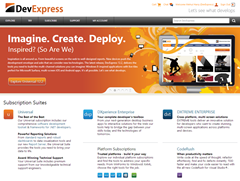
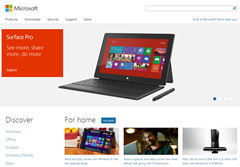

That large banner image in the middle is called a “Hero graphic”. And it’s very useful to present to your website visitors important information:
The hero graphic is often the first visual a visitor encounters on the site and its purpose is to present an overview of the site's most important content. A hero graphic often consists of image and text, can be static or dynamic (e.g. a rotating list of images and/or topics).
The content presented varies with the purpose of the site: it can be relevant news about the site, specific site-links, or - in the case of e-commerce - the best-selling or strategically placed products or services. –Wikipedia
Video: DevExpress ASP.NET Image Slider
I introduced you to the DevExpress ASP.NET Image Slider control in December 2012 release. Now, I’d like to show you how you can use the DevExpress ASP.NET ImageSlider control as a hero graphic with rotating images.
Check out my “Enhance Your Website Easily with the ASP.NET Image Slider” webinar to learn how easy it is to use the DevExpress ASP.NET ImageSlider to enhance your website:
Watch the video, then let me know how you’ve used the DevExpress ASP.NET ImageSlider control in your website?
Save time and money...
Save time and money with high quality pre-built components for ASP.NET, Windows Forms, WPF, Silverlight and VCL as well as IDE Productivity Tools and Business Application Frameworks, all backed by world-class service and support. Our technologies help you build your best, see complex software with greater clarity, increase your productivity and create stunning applications for Windows and Web in the shortest possible time.
Try a fully-functional version of DXperience for free now: http://www.devexpress.com/Downloads/NET/
Free DevExpress Products - Get Your Copy Today
 The DevExpress Team