WinForms — Year-End Roadmap (v25.2)

This post details WinForms-related features/capabilities we expect to introduce in our year-end update (v25.2). If you have questions or suggestions, feel free to submit your thoughts in the survey at the end of this post or submit a ticket via the DevExpress Support Center - your feedback is always welcome.
.NET 10 Support
All our WinForms controls will support .NET 10 as soon as it becomes available this November. We're already testing preview versions to ensure seamless migration. If you're wondering what enhancements .NET 10 brings to the platform itself, be sure to check the following Microsoft help topic: What's new in Windows Forms for .NET 10 Preview.
DevExpress MCP Server for AI-Powered Documentation Access
We will introduce an MCP server that connects GitHub Copilot Chat, Cursor, and other MCP-compatible AI tools directly to our comprehensive documentation database. The server will provide instant access to over 300,000 help topics through natural language queries within your IDE. This will allow you and AI coding agents such as Claude Code to access current DevExpress documentation directly within the AI assistant's context.

AI Chat Control
Tool Calling API
Visual Tool Execution Indicators
Our Chat Control will provide clear visual indicators when executing AI tools, whether declared locally within your application or connected via MCP (Model Context Protocol) servers. These indicators will enhance transparency and help users understand which actions are being performed in real-time.
Resources
RAG Project Template

AI-Powered Expression Generation
- Filter expressions
- Unbound expressions
- Conditional Formatting rules

Rider Support
Designer
We’re in close collaboration with the JetBrains team to enhance design-time support for DevExpress WinForms components in the Rider IDE. You’ll soon be able to use the design-time capabilities of all major DevExpress WinForms controls. Many of these improvements will roll out in Rider EAP releases (available every couple of weeks). We’ll share updates once core functionality is in place - stay tuned.

DevExpress Template Kit
DevExpress Template Kit includes dozens of project templates and building blocks available in Visual Studio and VS Code. With v25.2, you'll be able to use these templates within JetBrains Rider.

Charts — DateOnly & TimeOnly Support
- Bind chart data directly to DateOnly/TimeOnly values
- Format axes with date/time options
- Aggregate data by date or time intervals

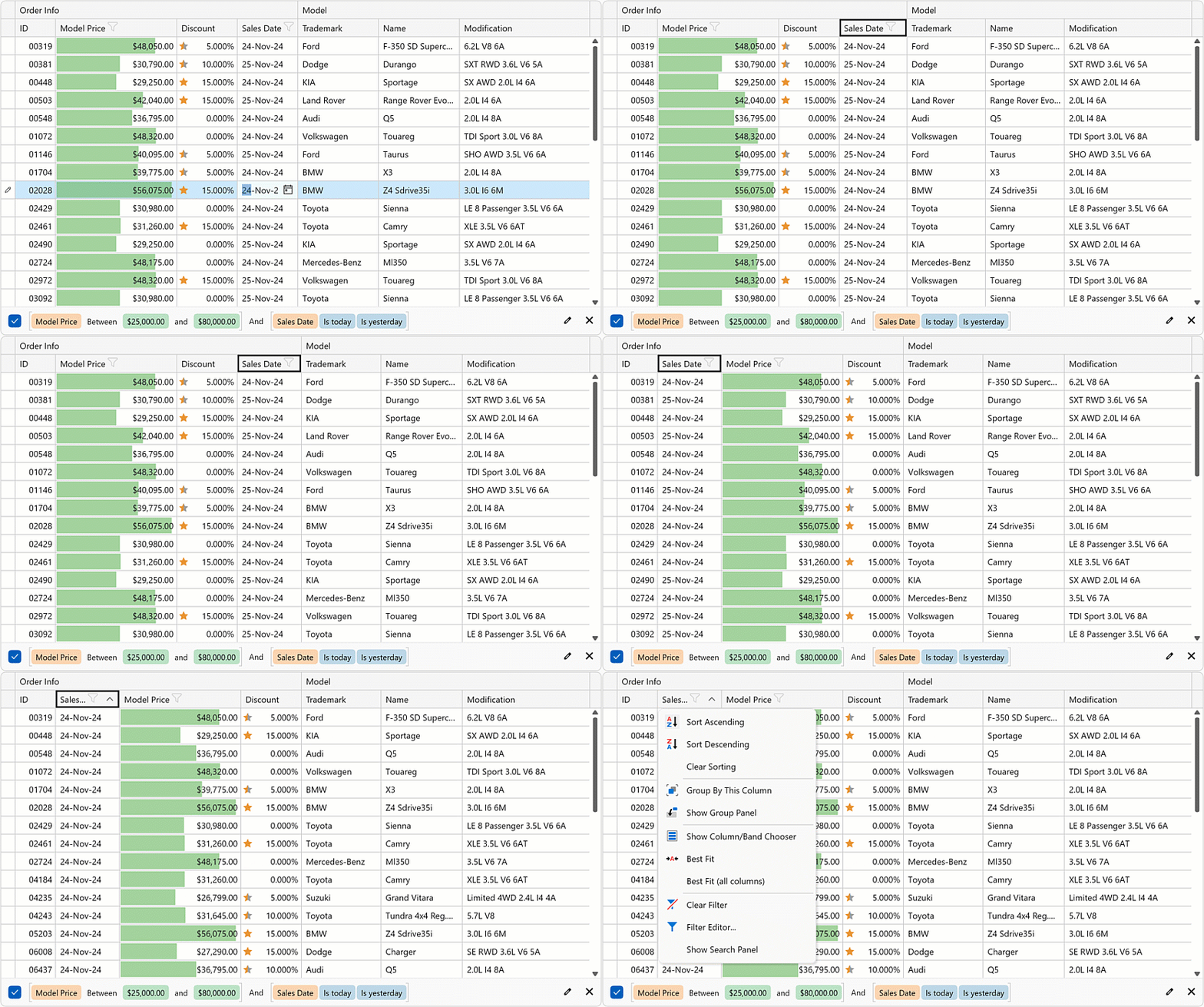
Data Grid — Column Header Navigation
- Apply sort operations (Space/Enter)
- Sort against multiple columns (Shift + Space)
- Clear sorting (Ctrl + Space)
- Display the Column Filter Popup (Alt + Down)
- Reorder columns (Ctrl + Left/Right)
- Display the Column Context Menu (Shift+F10)
- Resize a column (Shift + Left/Right)
Data Grid — Multi-Cell Editing
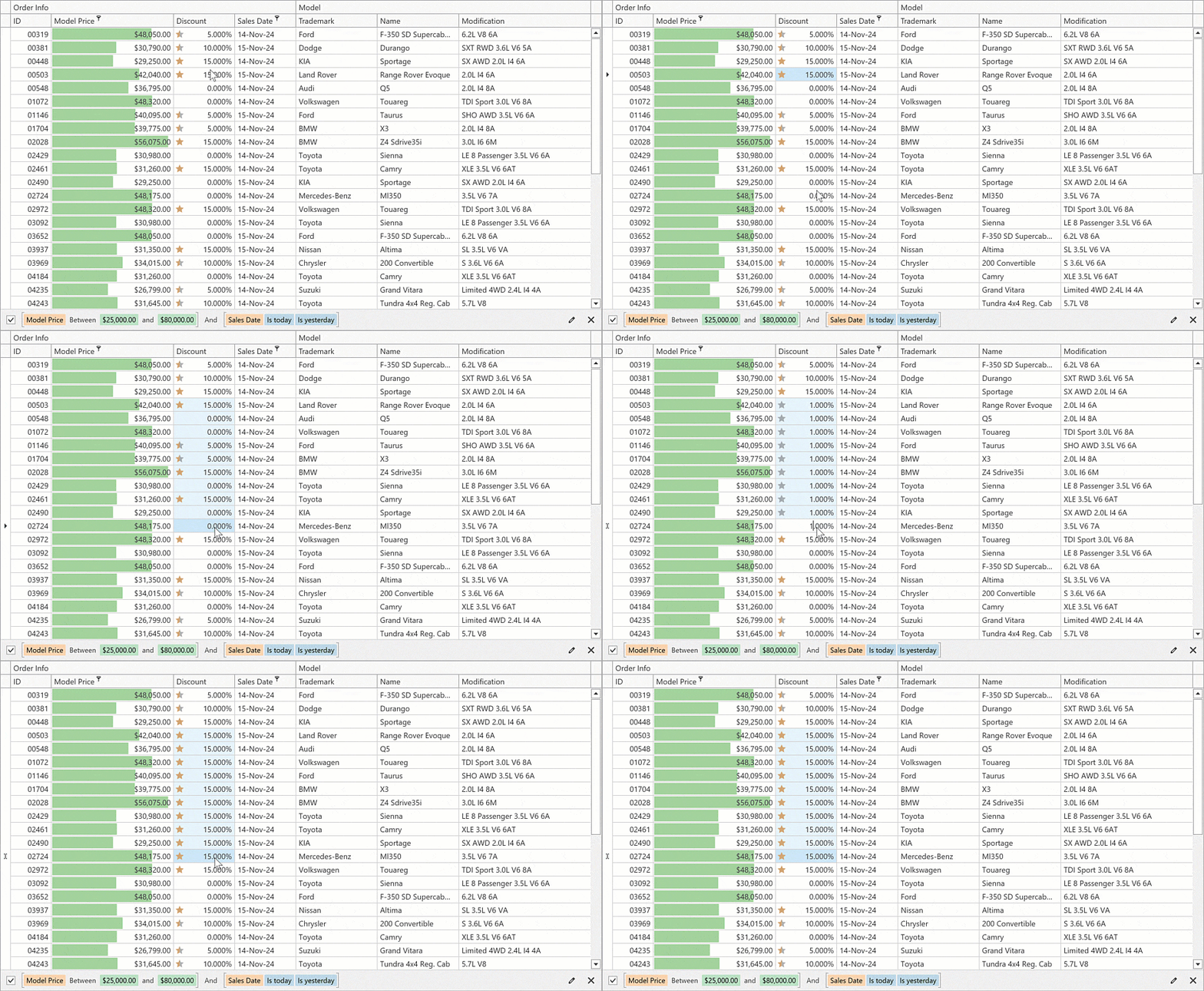
As you know, Microsoft Excel allows you to select multiple cells and apply text changes by pressing Ctrl + Enter (instead of Enter). We will add a similar feature to our WinForms Data Grid, allowing users to apply identical values to multiple cells simultaneously.
Editors — Screen Reader Enhancements
Though our WinForms Editors already announce values when users focus editors or enter text, we expect to extend support for screen readers for the following usage scenarios:
- Partial text selection
- Character deletion
- Previous/next character navigation

Ribbon Control — Right Pane
You’ll be able to position vertical panels on the right side of the DevExpress WinForms Ribbon Control. This space can host application-wide features, such as an AI Chat interface or Outlook-style notifications.

Rich Text Editor
Word to PDF/UA Conversion
Enhanced Master-Detail Mail Merge
- Define repeatable detail sections using region-based merge fields.
- Use a single template to generate multi-level reports, invoices, or personalized documents.
- Perform complex document generation from hierarchical business objects (for example, Customer → Orders, Order → Items).
- Integrate with custom data sources.
Spreadsheet Editor
Excel to PDF/UA Conversion
We’ll enhance our Excel to PDF/UA conversion engine to address accessibility issues related to graphical object tagging and artifact generation (for decorative content).
OLE Object Support Enhancements
- XLS
- XLSB
New Excel Functions
- XLOOKUP
- XMATCH
- FILTER
- UNIQUE
- And more
Reports
Enhanced PDF Export — Accessibility Enhancements
We will extend DevExpress Reports APIs and give you granular control over PDF accessibility features. This enhancement allows developers to specify PDF layout artifacts — elements skipped by assistive technologies — and define alternative text for report watermarks.
Enhanced DOCX Export — Accessibility Enhancements
A Report control's AccessibleDescription property will be available when exporting reports to DOCX files.
Report Design Analyzer — Accessibility Checker
We will extend the Report Design Analyzer pane with a new "Accessibility" error source category to help report designers create accessible documents across multiple Microsoft Office/PDF export formats. This feature mirrors accessibility assistant functionality found in Microsoft Office products and provides proactive guidance during the design phase. As you would expect, this capability will dramatically improve accessibility compliance while reducing the learning curve for developers new to accessibility standards. This feature will also:
- Enable report designers to identify and fix accessibility issues before export
- Reduce accessibility violations in exported documents
- Provide clear, actionable guidance for accessibility improvements
- Support multiple export formats with format-specific checks

DevExpress Report Designer for JetBrains Rider
Responding to community demand and the growing popularity of JetBrains Rider, we will integrate the DevExpress Visual Studio Report Designer with JetBrains Rider. This IDE integration will allow developers to create, modify, and manage DevExpress Reports directly within their preferred IDE environment, eliminating the need to switch between development tools.


AI-Powered Enhancements
With v25.2, we plan to deliver AI-powered feature parity across DevExpress Report Designer components across supported platforms, including our Visual Studio Report Designer. No matter which platform or IDE you use, you’ll benefit from the same AI-powered tools that accelerate report design and reduce manual effort.

For a detailed overview of AI-powered capabilities in DevExpress Reports, refer to the following topic: AI-powered Functionality
End-User Report Designer — Settings Window
We plan to add a new dialog window to our WinForms End-User Report Designer that allows users to configure report design/document generation settings globally at the application level:
- Default settings for new reports. Users can modify report settings to match preferences.
- Centralized dock panel management. Users can control the state of multiple panels simultaneously (instead of one-by-one via the toolbar).
- Unified access to designer settings. Users can customize layout, data, and appearance from a single location.

DevExpress Report Designer Data Source Wizard — Pinned Data Sources
We will enhance the "Choose a data source" page in our Data Source Wizard to allow users to pin frequently used database providers as favorites. These favorite providers will be displayed at the top of the list for quick access.

Time Zone Conversion
With v25.2, DevExpress Reports will convert UTC date/time values to the viewer's local time zone. This feature is essential for applications with a global user base, as it ensures that all users analyze report data in their respective local time zones.
Your Feedback Counts
If you have a specific question about our WinForms roadmap, feel free to submit a support ticket via the DevExpress Support Center. We will be happy to follow-up.
