Adding Default Settings and a Custom Title to the DXCore Options page of our Clipboard History plug-in for Visual Studio

Welcome to Part 9 of the series showing how to build plug-ins for Visual Studio using DXCore.
So far we've:
- Built the plug-in framework.
- Created the ClipboardHistory class.
- Created a simple UI.
- Added a cursor and support for the keyboard.
- Added form positioning code and dynamic update ability.
- Added a custom menu item and mouse support.
- Added clipboard history persistence across sessions.
- Added an options page.
In today's post, we'll take the options page up a notch, adding support for reverting to default settings, improving the quality of the code, and specifying a custom title for the options page.
A Bit of Cleanup
There are two things I want to clean up on the options page. The first -- notice that whenever we bring up the Editor\Clipboard\History options page, the Default Settings... button is disabled.

We recommend providing a way for customers to restore default settings for each options page. I'll show you how to do that in a moment.
The second issue -- notice that the title of our clipboard history options page is simply "History".
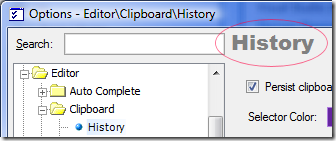
It might be nicer to change this to something a bit more explanatory, like "Clipboard History". We can fix this second issue easy enough.
Close down the debugging session if it's still running.
Activate the OptClipboardHistory.cs [Design] file...
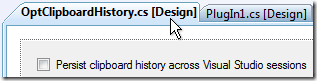
Click the options page itself (so no controls are selected).
In the Properties grid, click the Properties button.

Change the Title property to its default of empty (which means the Title value will come from the options page name specified in the wizard) to the new value, "Clipboard History".

Next, let's fix that disabled Default Settings... button challenge.
Activate the OptClipboardHistory.cs [Design] file one more time...
Make sure no controls are selected (click the options page design surface if necessary).
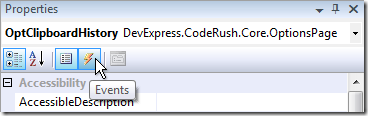
In the Properties grid, click the Events button.
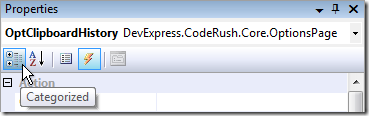
Click the Categorized button if needed to make sure events are grouped together.
In the CodeRush category, create a handler for the RestoreDefaults event.

Now we can specify default values for our controls. The code here is going to be a little bit similar to the code in our PreparePage handler (just without any storage access), and looks like this:
private void OptClipboardHistory_RestoreDefaults(object sender, OptionsPageEventArgs ea)
{
ckbPersistHistory.Checked = true;
clrSelector.Color = Color.Red;
NumRows = 3;
NumColumns = 3;
UpdateDimensions();
}
There's one final bit of cleanup on my mind that I'll only mention but will not walk you through, and that is to make the observation that these initial values for the settings are showing up (duplicated) in several places. Specifically they appear at these locations:
- RestoreDefaults event handler
- PreparePage event handler
- LoadSettings method
- Initial values for fields in the ClipboardHistory class
- Initial value for the SelectedBorderColor field of FrmClipHistory.
This all works for now because these initial values are all the same. But just like copying code, duplicating initial values can lead to maintenance issues later on. For example, changing one without changing the others can introduce hard-to-find (or at the very least somewhat confusing) bugs. So it makes sense, whenever you're dealing with default options, to create a class to hold those options. That way if you ever want to change an initial value, you can do it in one place.
So, our new class to hold default options looks like this:
public static class Defaults
{
public const bool PersistHistory = true;
public const int RowCount = 3;
public const int ColumnCount = 3;
public static readonly Color CursorColor = Color.Red;
}
And the corresponding changes to the code follow...
In our RestoreDefaults handler:
private void OptClipboardHistory_RestoreDefaults(object sender, OptionsPageEventArgs ea)
{
ckbPersistHistory.Checked = Defaults.PersistHistory;
clrSelector.Color = Defaults.CursorColor;
NumRows = Defaults.RowCount;
NumColumns = Defaults.ColumnCount;
UpdateDimensions();
}
In our PreparePage handler:
private void OptClipboardHistory_PreparePage(object sender, OptionsPageStorageEventArgs ea)
{
ckbPersistHistory.Checked = ea.Storage.ReadBoolean("Settings", "PersistClipboardHistory", Defaults.PersistHistory);
clrSelector.Color = ea.Storage.ReadColor("Settings", "SelectorColor", Defaults.CursorColor);
NumRows = ea.Storage.ReadInt32("Settings", "RowCount", Defaults.RowCount);
NumColumns = ea.Storage.ReadInt32("Settings", "ColumnCount", Defaults.ColumnCount);
UpdateDimensions();
}
In PlugIn1.cs, in the LoadSettings method:
private void LoadSettings()
{
using (DecoupledStorage settings = OptClipboardHistory.Storage)
{
ClipboardHistory.PersistHistory = settings.ReadBoolean("Settings", "PersistClipboardHistory", Defaults.PersistHistory);
FrmClipHistory.SelectedBorderColor = settings.ReadColor("Settings", "SelectorColor", Defaults.CursorColor);
ClipboardHistory.RowCount = settings.ReadInt32("Settings", "RowCount", Defaults.RowCount);
ClipboardHistory.ColumnCount = settings.ReadInt32("Settings", "ColumnCount", Defaults.ColumnCount);
ClipboardHistory.BuildEntries();
}
}
At the top of ClipboardHistory.cs:
public static class ClipboardHistory
{
public static bool PersistHistory = Defaults.PersistHistory;
public static int RowCount = Defaults.RowCount;
public static int ColumnCount = Defaults.ColumnCount;
And the last change is at the top of FrmClipHistory.cs:
public partial class FrmClipHistory : Form, IMessageFilter
{
internal static Color SelectedBorderColor = Defaults.CursorColor;
I feel better about the code now. It has a more solid feel to it. Let's test these changes.
Testing the Cleanup Changes
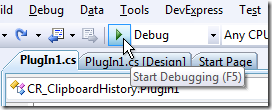
Click Run.
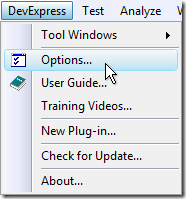
In the second instance of Visual Studio, from the DevExpress menu, select Options....
Activate the Editor\Clipboard\History options page, if it's not already active.
The first thing you should notice is that the title has changed to the new value we've specified:
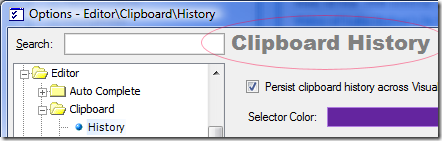
By now your eyes have no doubt glanced down at the Default Settings... button. Sure enough, it is now enabled:

Good!
Before testing this button, make sure your Selector Color is set to something other than Color.Red, or your Columns and Rows settings are a value other than 3.
Click the Default Settings... button.
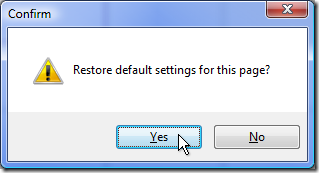
Click Yes, and settings will be restored to their defaults:
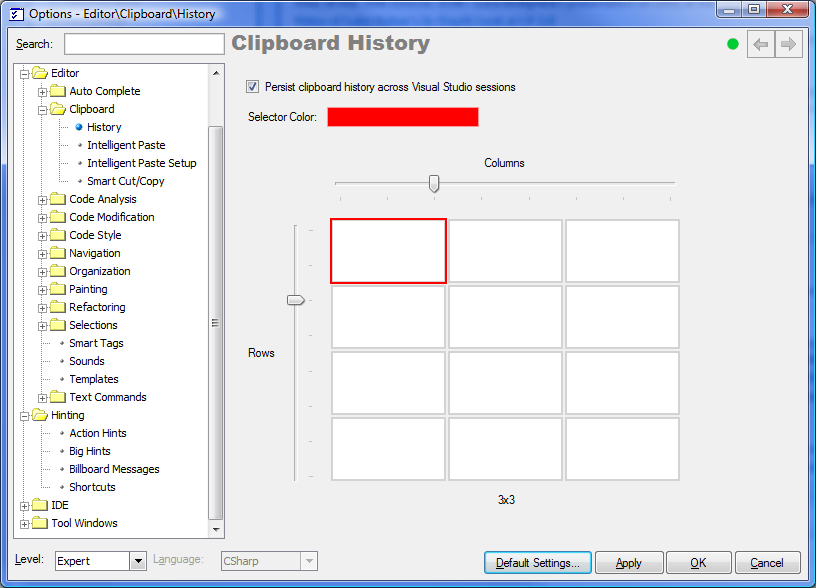
Excellent!
Note: You can revert to your older settings if you like by clicking the Cancel button on the Options dialog.
Tomorrow, we'll add a really cool usability feature -- the ability to quickly maximize the active CodeView in the Clipboard History. See you then!
Free DevExpress Products - Get Your Copy Today
Mark Miller (DevExpress)